 Vox Jot
Talk once. Text appears where your cursor is.
Vox Jot is local-first Mac dictation for people who write all day. Press a shortcut, speak naturally, and place text into Mail, Notes, Cursor, Slack, Safari, forms, and other Mac apps. Core dictation runs locally by default; optional cleanup only runs when you choose it.
See the shortcut-to-text loop in real Mac apps.
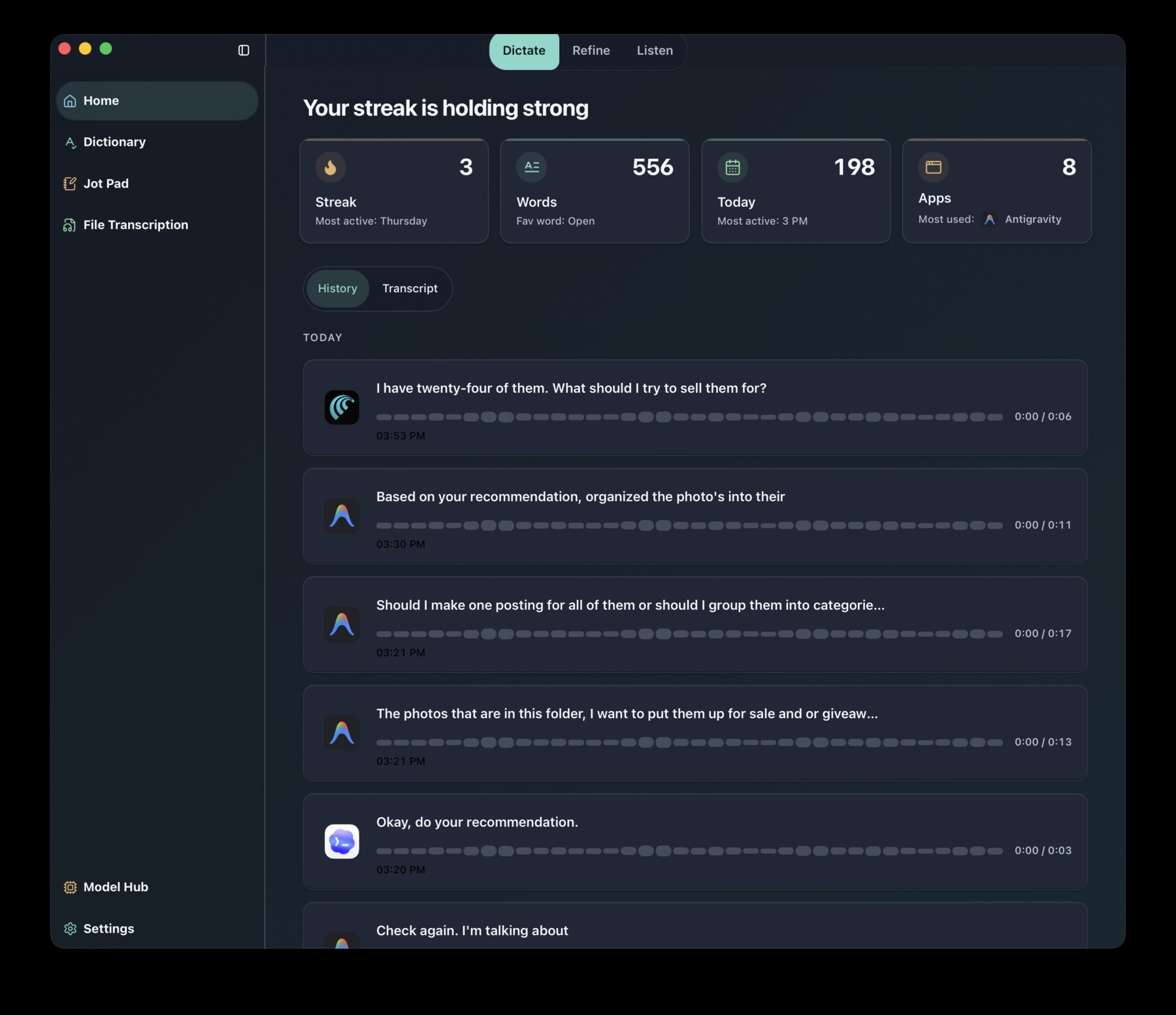
This is an authentic screen recording of Vox Jot dictating into Mail, a document, and a browser before showing the local history and model choices inside the app.
Fast shortcut-to-text, then deeper tools when you need them.
Start with the job that matters most: speak once and get text where you were already writing. Dictation Modes, Phrase Keys, Model Hub, Listen, OCR, and file transcription are proof of depth, not the first thing you have to learn.
Speak into any app.
Hold a hotkey, speak naturally, and place formatted text where your cursor already is. Works across Mail, Notes, Cursor, Slack, Safari, forms, and other Mac apps.
Match the app you are writing in.
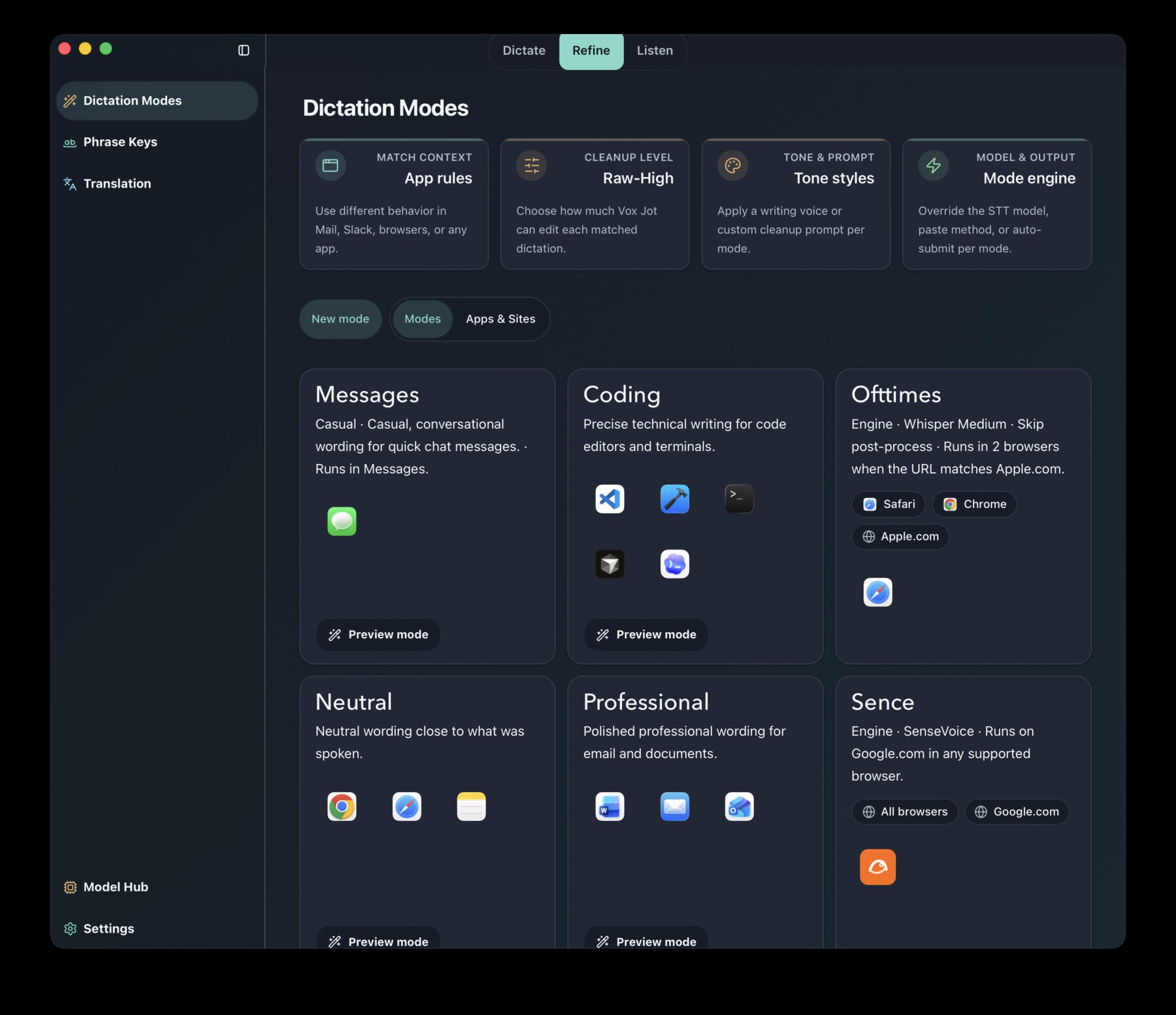
Use app-aware tone, cleanup, model, paste, and submit behavior for chat, email, notes, forms, and prompts.
Say a short trigger. Insert reusable text.
Expand spoken shortcuts into saved snippets, signoffs, templates, repeated phrases, or team language while you dictate.
Polish only when you choose it.
Refine rough speech with local models, Apple Intelligence, or cloud providers you explicitly configure.
Turn recordings into text.
Drag in audio or video files and produce transcripts using local speech models on your Mac.
Install heavier tools only when needed.
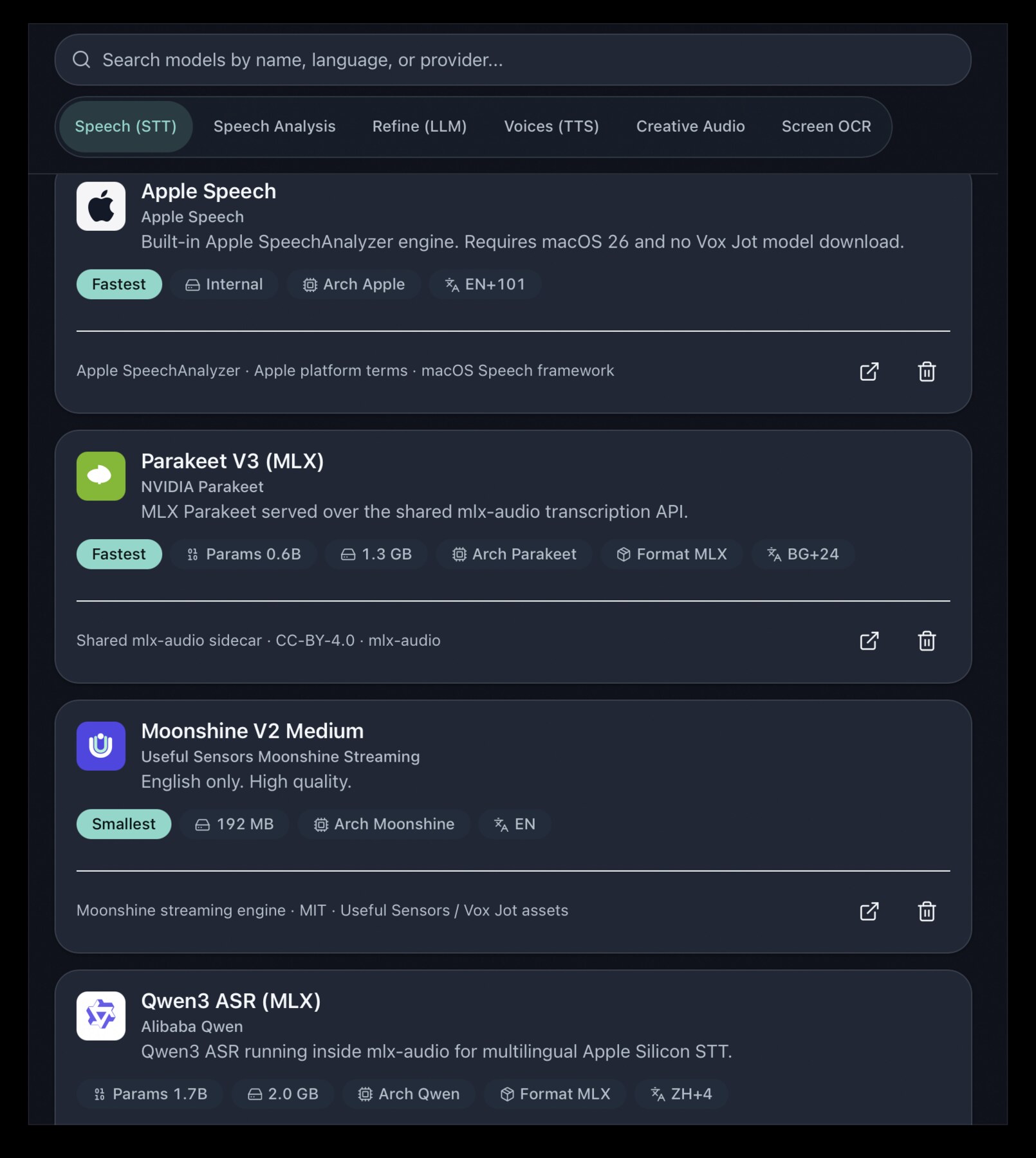
Speech, OCR, TTS, cleanup, and creative audio models are managed inside the app with visible download status.
Create audio after dictation is working.
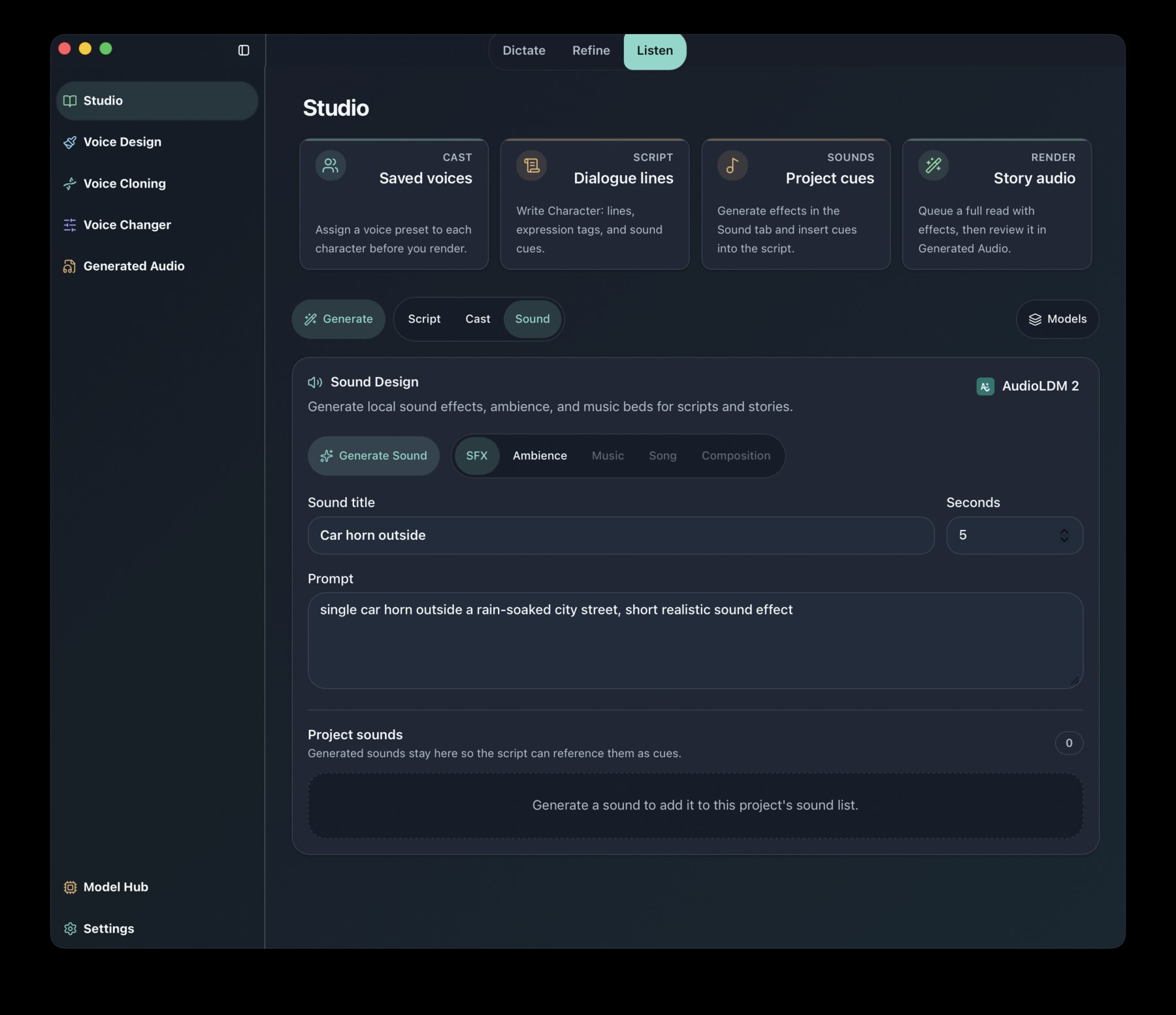
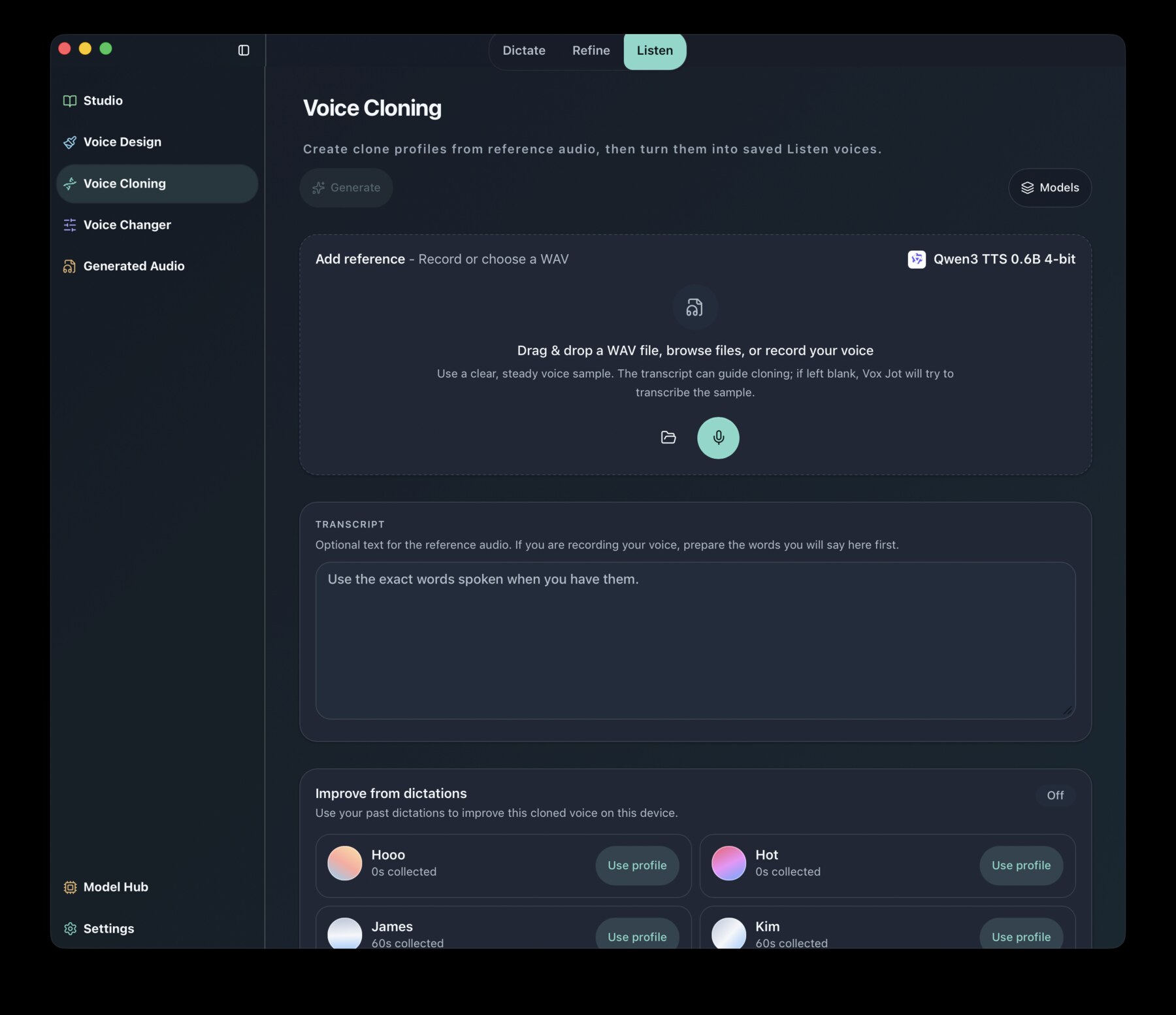
Reader, Listen, voice profiles, and permitted voice cloning support creator and accessibility workflows without taking over the homepage.
Add screen and document context when it helps.
Optional OCR and context tools help with screenshots, documents, and visible text. They are permission-aware and better treated as power-user depth than the first promise.
See the real Mac app before you download.
Actual product surfaces: dictation history, Dictation Modes, Model Hub, Listen Studio, and voice tools.
Built for work that should not leave your Mac.
Core dictation is local recording and local transcription. Optional cloud cleanup only runs when you configure it. No Vox Jot account is required for the core experience.
Made for people handling sensitive words.
Writers, developers, researchers, journalists, creators, and teams who need fast voice entry without default cloud exposure.
Install heavy models only when you need them.
The Mac installer stays practical. OCR, speech-analysis, TTS, local LLM, and creative audio runtimes are downloaded and managed inside the app.
Download it free. Support it only if it earns your support.
The signed Apple Silicon installer is available directly with no account or checkout. The source is public under the MIT license. Optional contributions help fund signing, hosting, support, and continued development.
The support link opens Gumroad. Payment is optional and does not unlock a different app build.
Third-party model notices are published here for users.
Model and runtime ownership
Vox Jot does not claim ownership of third-party model weights, runtimes, or model assets. The app either downloads upstream assets directly or uses app-managed mirrors and conversions that preserve required source, attribution, and license notices.
User obligations
- Do not remove upstream license files, model cards, source links, or attribution.
- Review gated, custom, research-only, and non-commercial model terms before use.
- Use voice cloning only with voices you own, recorded, or have permission to use.
- Confirm recording and transcription consent rules for your location and workflow.
What to know before installing.
Release format
- The current app is distributed as a signed Mac DMG.
- The installer is for Apple Silicon Macs first.
- Model and runtime downloads are handled inside the app when needed.
Permission setup
- Microphone access is required for dictation.
- Paste output and shortcuts may require Accessibility or Automation approval.
- Support and privacy pages are live on the same product domain.
Stop typing everything by hand.
Get Vox Jot, grant the macOS permissions it needs, and start using local-first dictation on your Mac.
Download free for Mac